
























Donate safely with: PayPal
and receive one or more
Sky-Gifts. Your support is greatly appreciated!
NOTE: you do not need a PayPal account to donate.
All SkyMarvels™ scripts load in a matter of seconds. Many load in less than one second.
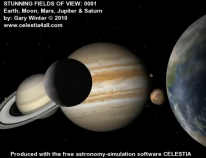
CELESTIA strives to give you "the outer space experience" in an accurate and photo-realistic way.
Anyone with reasonable reading skills, even a child, can use our scripts!
SKY VIEWING
SOLAR SYSTEM
THE SUN
MERCURY
VENUS
EARTH
THE MOON
MARS
JUPITER
SATURN
URANUS
NEPTUNE
SMALLER WORLDS
STELLAR OBJECTS
EXOPLANETS
DEEP-SKY OBJECTS
SCALE OF THE COSMOS
———————
SKY-FUN / SKY-GAMES

 1.6.x & 1.4.1 LINKS
If you have CELESTIA 1.6.x (that is, 1.6.0 or 1.6.1 etc.) or 1.4.1 correctly installed and running in an open window, you're in for a definite treat! This website's links labeled either "1.6.x" and "1.4.1" will display their cosmic events and destinations in your open CELESTIA window! Just click on the link for the CELESTIA version that you have running and open on your computer. One click and . . . YOU'RE THERE! For example: here's a 1997 triple simultaneous solar eclipse on Jupiter (1.6.x) (1.4.1)
As above, "1.6.x" and "1.4.1" links always follow a short description of what they will display when you click on them. Running the link not only displays the described cosmic wonder, it also allows you to examine CELESTIA's settings that created it. This will help you learn to create your own views of awesome events in CELESTIA!
Here is an example showing how CELESTIA depicts the historic transit of Mars in front of Jupiter just before sunrise in the year 1170! (1.6.x) (1.4.1).
Be patient; links may take a second or two to load. You will find pairs of links like this throughout this website, and you may run them as often as you like. So feel free to show them to all of your friends!
Prepare to be taken all over our incredible Solar System, and far, far beyond!
UPDATE: As of January 2013, all new CELESTIA links will only be "1.6.x" links, as few if any persons are still using the old version 1.4.1 of CELESTIA.
CELESTIA'S DISPLAY OF TIME: UTC
You don't have to look far to find that a surprising number of time standards exist. Most of the world's timekeeping is reckoned in Universal Time (UT), a standard based on the Earth's rotation. Essentially the same as Greenwich Mean Time (GMT), this is adequate for most daily activities. Still, because the Earth's rotation is not perfectly constant, UT is not accurate enough for astronomical timekeeping.
On the other hand, the highly regular behavior of certain atoms provides a superior basis for measuring time with high accuracy. Coordinated Universal Time (UTC), based on atomic time, is just one of several standards used by astronomers. It is adjusted to essentially stay "in step" with Universal Time, and is what CELESTIA's clock displays in the upper right corner of its window. Universal Time and Coordinated Universal Time differ by less than a second, so for most purposes the two can be considered equal.
Note: if CELESTIA's clock is not displayed in the top-right corner of its window, just press the V key until you see it. Generally, it is best to run CELESTIA with its clock displayed, as it tells you how fast time is passing during any simulation.
LOOK FOR HIDDEN TREASURES!
Like the universe itself, Sky- Marvels™ contains many hidden treasures! It is a site of constant discovery! So do not be surprised if widening your window, or running your mouse cursor over a planet or moon or other image, sud- denly reveals additional info about what you are viewing, or maybe a hidden link. Will you find all of these hidden treasures?
SkyMarvels™ is full of them for you to enjoy. Good luck!
FAQs: SkyMarvels™
- Why was SkyMarvels™ created?
- What does SkyMarvels™ offer?
- Do I have to be an astronomer to understand all of this stuff?
- What's the best thing about the scripts that you offer in SkyMarvels™?
- How fast do SkyMarvels™ scripts load?
- How easy is it to install a SkyMarvels™ script?
- How easy is it to use a SkyMarvels™ script?
- Are your offerings available anywhere else, or only from the SkyMarvels™ website?
- Does the SkyMarvels™ site look the same in all web browsers?
- Why does SkyMarvels™ use a bold font throughout the website?
- Is SkyMarvels™ a "green" website?
- You seem to prefer to show the Vernal Equinox in the 3:00 o'clock direction. Why?
- What do I do a link or feature does not run on the SkyMarvels site?
- What do I do a link or feature still won't run?
-
Why was SkyMarvels™ created?
As our Intro page explains in much more detail, SkyMarvels™ was created to let all persons (young and old alike) "experience" the true wonders of the universe by making the science of astronomy engaging, entertaining and fun! One way this is achieved is by making the free software, "CELESTIA", easy "for all" users. ↑ Back ↑ -
What does SkyMarvels™ offer?
The best way to start finding out is by checking out Sky-Gifts page, our Bonuses page and our Gallery page. We have treasures from free maps of tonight's sky to helpful utilities, from informative and intriging videos to powerful scripts that predict countless awesome sky events like eclipses, from clever add-ons that "supercharge" CELESTIA to beautiful and instructive posters and more! You will find a growing roster of eminently useful and highly engaging creations here at SkyMarvels™. In addition, you've no doubt already discovered that our other pages feature links to interactives, animations and videos galore! ↑ Back ↑ -
Do I have to be an astronomer to understand all of this stuff?
NOT AT ALL! Yes, at times you may encounter terms and concepts that are new to you, but we'll let you in on a secret: astronomy is really not that difficult when you approach it with the right tools. We believe that our many offerings ARE the right tools, not only for introducing astronomy, but also for keeping it fresh and exciting for you as you delve deeper into the wonders of the cosmos. ↑ Back ↑ -
What's the best thing about the scripts that you offer in SkyMarvels™?
They provide incredibly varied ways for you to view events, distant worlds and fundamental yet exciting cosmic phenomena. Often a single view or perspective will not tell the entire story, while 6 or 7 views—simultaneous ones at that—will instantly make it clear. In addition, the scripts—like CELESTIA itself—are interactive; they allow you to change numerous conditions so you can determine how they affect what you're observing. Even so, the best thing about our scripts is that they are simply AWESOME! ↑ Back ↑ -
How fast do SkyMarvels™ scripts load?
Very fast! All load in just a matter of seconds. Many load in less than one second. ↑ Back ↑ -
How easy is it to install a SkyMarvels™ script?
It could hardly be easier. Each script comes in a "zipped" folder containing all of the components that it needs to function. After you have downloaded and "un-zipped" that folder, just copy it into CELESTIA's extras folder. Then restart CELESTIA and you're ready to go! ↑ Back ↑ -
How easy is it to use a SkyMarvels™ script?
Extremely easy! Each script comes with "onboard" notes that explain the concepts demonstrated, what controls it employs, how they work, etc. Anyone with reasonable reading skills, even a child, can use our scripts! ↑ Back ↑ -
Are your offerings available anywhere else, or only from the SkyMarvels™ website?
Our offerings are legally available only from here at SkyMarvels™. If you ever find that anyone else is selling or distributing our offerings, we would greatly appreciate your letting us know about it. ↑ Back ↑ -
Does the SkyMarvels™ site look the same in all web browsers?
It does on newer ones. Compared to older web browsers, new versions are much more consistent at rendering a site's pages. Moreover, some older browsers like IE6 cannot access some features on this site. So, if you're still using an older browser, we recommend that you upgrade to a newer version. Whatever browser you decide to use, if you encounter any trouble using any features on this site, please contact us. ↑ Back ↑ -
Why does SkyMarvels™ use a bold font throughout the website?
For two reasons: first, new high-res screens make it difficult to read fonts composed of thin, single-pixel-wide elements; second, the bold font is also easier to read as its color is of medium contrast on a black background. You'll find that, compared to the text of many sites, ours is much easier to read on new high-resolution screens, internet phones and pad devices. ↑ Back ↑ -
Is SkyMarvels™ a "green" website?
We think it is, though we've found no "official agreement" on just what a "green site" is. We will tell you that all of our offerings are only available as downloads from this site. There are no disks, packaging or shipping materials to end up in and "over-stress" already bloated landfills. ↑ Back ↑ -
You seem to prefer to show the Vernal Equinox in the 3:00 o'clock direction. Why?
There's no hard and fast rule about this, because in space everything is relative anyway. But showing the Vernal Equinox ( ) in the 3:00 o'clock direction aligns it with the positive x-axis in the Cartesian coordinate system. So, for many purposes, this makes it a natural choice—especially for orienting diagrams of the Solar System. ↑ Back ↑
 -
What do I do a link or feature does not run on the SkyMarvels site?
First, check back later to see if the link or feature may run then. Some sites are notorious for going offline fairly frequently. ↑ Back ↑ -
What do I do a link or feature still won't run?
Make sure that you have enabled Javascript in your browser. Its many powerful features are used to bring you the best site possible. Additionally, SkyMarvels links to other sites that offer enhanced graphic features using Flash ,
Java
,
WebGL, Unity
and others. These too are completely free, though you may need to download or enable their latest versions to run some of their newest interactives.
,
Java
,
WebGL, Unity
and others. These too are completely free, though you may need to download or enable their latest versions to run some of their newest interactives.
IMPORTANT! Most major browsers have now eliminated support for Adobe Flash. Instead of running an interactive directly, most give you the option to download it, so you can run it yourself. However, browsers like Google Chrome and Safari may block a Flash interactive in some cases. ↑ Back ↑
FAQs: CELESTIA
- Where can I get CELESTIA?
- Is CELESTIA really free?
- Is there much support for CELESTIA?
- Is CELESTIA really as fun as you say?
- If I'm a parent, should I encourage my children to use CELESTIA?
- Does CELESTIA really "immerse" you in an environment as realistic as the ones found in video games?
- But didn't you say somewhere on this site that CELESTIA can be hard to use?
- What's the best way to get started with CELESTIA?
- What is a script anyway?
- How accurate are your scripts?
- How accurate is CELESTIA?
- Why do you support two versions of CELESTIA? Why not just the lastest version?
- What are the differences between CELESTIA 1.6.x and 1.4.1?
- Are there any significant differences between Windows and Mac versions of CELESTIA?
- Does this mean that you prefer the Windows versions of CELESTIA?
- There are Linux versions of CELESTIA; why don't you support them?
- Are there any considerations for using CELESTIA on a Windows 7 PC?
-
Where can I get CELESTIA?
You can download the latest version of CELESTIA here. ↑ Back ↑ -
Is CELESTIA really free?
As amazing as it sounds, yes, it is! This is explained on our Intro page. ↑ Back ↑ -
Is there much support for CELESTIA?
There is. Of course, you'll find a lot of info right here on the SkyMarvels™ site. Plus, our Links page offers lots of links to an impressive number of resources. ↑ Back ↑ -
Is CELESTIA really as fun as you say?
It's MORE fun than we say! Actually it is difficult to express just how fun and inspiring "and rewarding" CELESTIA is when it's made easier to use. An entire universe is yours to enjoy! ↑ Back ↑ -
If I'm a parent, should I encourage my children to use CELESTIA?
We hope you'll allow us to answer that question with one of our own. Would you prefer that your children immerse themselves in endless strings of mindless video games, OR spend more time in a fact-based enviroment that might inspire another Einstein or Curie? ↑ Back ↑ -
Does CELESTIA really "immerse" you in an environment as realistic as the ones found in video games?
Indeed, it does! CELESTIA strives to give you "the outer space experience" in an accurate and photo-realistic way. And SkyMarvels™ helps to heighten that experience dramatically. ↑ Back ↑ -
But didn't you say somewhere on this site that CELESTIA can be hard to use?
We did, and that's exactly why we created SkyMarvels™. But CELESTIA does not have to be difficult. Offerings on our Sky-Gifts and Bonuses pages make CELESTIA easy to use AND easy to learn! ↑ Back ↑ -
What's the best way to get started with CELESTIA?
We believe that our scripts provide one of the best, if not the best, way to get started with CELESTIA. Why? Because they immediately show you what's possible: multiple views, varying vantage points, incredible perspectives you may have never imagined. What's more, they set up many scenarios and events that you can examine at your leisure, as often and as many times as you wish. By noting how we've set up our views, you can quickly learn to set up your own. ↑ Back ↑ -
What is a script anyway?
It's just a separate "mini-program" that can be run inside of CELESTIA. Running one is simplicity itself. You open it in the File drop-down of CELESTIA's main menu. ↑ Back ↑ -
How accurate are your scripts?
As accurate as CELESTIA itself. (See the next question.) ↑ Back ↑ -
How accurate is CELESTIA?
Probably more accurate than you'll ever need. Employing a partial version of the highly regarded VSOP87 theory, CELESTIA's standard download plots the positions of the major planets with considerable accuracy for millenia. For even higher accuracy, users may also download JPL's DE ephemerides and SPICE kernals for the major planets and other bodies as well. Our Earth's Moon appears to be plotted with very good accuracy from year -2000 through year +3999. ↑ Back ↑ -
Why do you support two versions of CELESTIA? Why not just the lastest version?
The latest version is 1.6.x. But version 1.4.1 was highly popular, and many users report that they still use it. Moreover, there are some significant differences "under the hood" between versions 1.6.x and 1.4.1. ↑ Back ↑ -
What are the differences between CELESTIA 1.6.x and 1.4.1?
These differences will soon become the subject of a separate part of this page. Examples are: a) version 1.6.x depicts the barycenter of the Solar System; b) cel://url's for version 1.6.x will not work with version 1.4.1 and vice-versa; c) version 1.6.x depicts the precession of the Equinoxes, though 1.4.1 does not; d) CELESTIA's "follow" and "lock" features work differently in the two versions; e) version 1.6.x includes improvements to both the CEL and CELX scripting languages, etc. Suffice it to say, there will be a lot of room for discussion here. ↑ Back ↑ -
Are there any significant differences between Windows and Mac versions of CELESTIA?
While Windows and Mac versions of CELESTIA function similarly in most respects, current Mac versions do not permit you to capture videos of your journeys. (But all Windows and Mac versions do permit capturing any CELESTIA screen as a JPG image.) In addition, because Windows and Mac versions handle text in slightly different ways, scripts with a lot of text may not look the same in the respective versions. Perhaps the greatest drawback of Mac versions is that they allow NO "unsynchronizing" of time when you run multiple views (frames). This means that—since time has to be the same in all Mac views—current Mac versions cannot support scripts that create calendars. ↑ Back ↑ -
Does this mean that you prefer the Windows versions of CELESTIA?
We do, simply because they are the most full-featured versions. However, we don't think you'll be disappointed in CELESTIA if you need to run it on a Mac. ↑ Back ↑ -
There are Linux versions of CELESTIA; why don't you support them?
First, we simply do not have the resources. Second, because the official Linux version of CELESTIA has lagged behind the others. The current official Linux version is only at v. 1.4.1. ↑ Back ↑ -
Are there any considerations for using CELESTIA on a Windows 7 PC?
On a PC running the Windows 7 operating system, it is preferable to install CELESTIA in a directory (folder) other than the C:\Programs directory. For example, first create a directory named C:\Celestia and install CELESTIA there. ↑ Back ↑
Home Intro News Gallery Sky-Gifts Bonuses Tips
Learning Ctr Help Links Credits Legal Contact Us
© 2007-
by Gary M. Winter. All rights reserved.
Interested in political cartoons and humor?
Check out The HIPPLOMATS™.
SkyMarvels: Your Key to the Sky and the Universe! SkyMarvels, Sky Marvels, SkyMarvels.com, celestia4all, celestiaforall, CELESTIA, astronomy, space, simulations, animations, downloadable astronomy posters, stars, planets, Inner Planets, Outer Planets, Inferior Planets, Superior Planets, moons, asteroids, comets, Oort Cloud, galaxy, galaxies, Milky Way, Andromeda, globular clusters, binaries, quasars, black holes, supermassive black holes, telescope, telescopes, planetarium, software, freestuff, satellites, add-ons, addons, scripts, eclipses, Solar Eclipses, Lunar Eclipses, Solar Eclipse Finder, Lunar Eclipse Finder, mutual eclipses, transits, occultations, Solar System, CELES-TOOLS, celeSTARrium, CELX, CELX programming, Freebies, Bonuses, multiple views, atronomical unit, light year, parsec, meteors, meteor showers, Perseids, Geminids, Leonids, barycenter, time, Time Zones, tides, alignments, conjunctions, oppositions, seasons, apogees, perigees, aphelion, perihelion, Earth, Luna, Mercury, Venus, Mars, Jupiter, Galilean Moons, Io, Europa, Ganymede, Callisto, Saturn, Titan, rings, Uranus, Neptune, Triton, E-MSpectrum, electromagnetic spectrum, astronaut, equinoxes, solstices, precession, rotation, spin, inclination, tilt, Ecliptic, orbits, ellipse, parabola, hyperbola